Choosing a code editor is one of the first decisions every developer makes—and one of the most confusing. VS Code, IntelliJ, and Vim are often mentioned as “must-know” tools, but they serve very different types of developers.
If you’re new to tech, this guide explains what each editor is, how they differ, and which one makes sense for beginners, without overwhelming details or bias.
What Is a Code Editor?
A code editor is a tool used to write, edit, and manage source code.
Beyond typing text, modern editors help developers:
- Highlight syntax
- Detect errors
- Run and debug code
- Integrate with version control
- Improve productivity
The right editor can make learning to code smoother and less frustrating.
Visual Studio Code (VS Code): The Beginner Favorite
VS Code is one of the most popular code editors in the world—and for good reason.
Why VS Code Is So Popular
- Free and lightweight
- Works on all operating systems
- Supports almost every programming language
- Massive extension ecosystem
- Easy to customize, but usable out of the box
Best For
- Beginners learning programming
- Web developers
- General-purpose development
VS Code strikes a strong balance between simplicity and power, which is why it’s often the recommended starting point.
IntelliJ IDEA: The Smart IDE
IntelliJ IDEA is a full-featured Integrated Development Environment (IDE), especially strong for Java and JVM-based languages.
What Makes IntelliJ Different
- Deep code understanding
- Powerful auto-completion and refactoring
- Excellent debugging tools
- Strong project structure support
Best For
- Java developers
- Backend development
- Large or complex projects
Challenges for Beginners
- Heavier than VS Code
- More features than beginners may need
- Can feel overwhelming at first
IntelliJ shines when projects grow in size and complexity.
Vim: The Power Tool for the Terminal
Vim is a highly efficient, keyboard-driven editor that runs inside the terminal.
Why Developers Use Vim
- Extremely fast once mastered
- Works anywhere (servers, remote systems)
- Minimal resource usage
- Powerful editing capabilities
Challenges for Beginners
- Steep learning curve
- Unfamiliar controls
- Requires time and practice
Best For
- Experienced developers
- System administrators
- Remote server editing
Vim is not beginner-friendly—but many developers grow into it later.
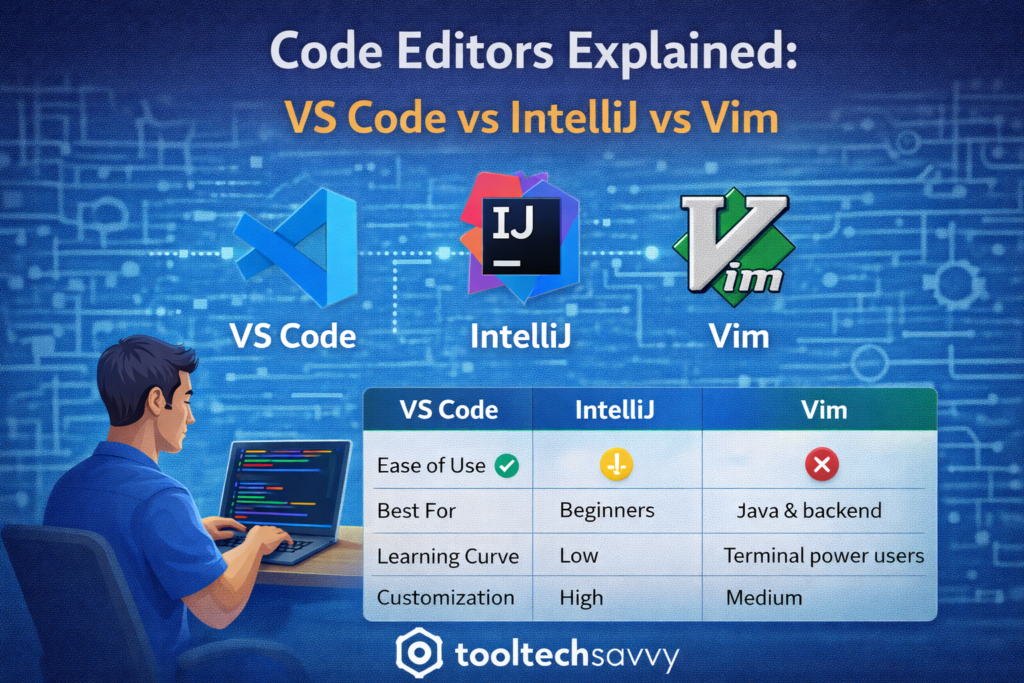
VS Code vs IntelliJ vs Vim: Quick Comparison
| Feature | VS Code | IntelliJ | Vim |
|---|---|---|---|
| Beginner-friendly | ✅ Yes | ⚠️ Moderate | ❌ No |
| Learning curve | Low | Medium | High |
| Best for | General use | Java & backend | Terminal power users |
| Resource usage | Low | High | Very low |
| Customization | High | Medium | Very high |
Which Code Editor Should Beginners Choose?
For most beginners, the answer is simple:
- Start with VS Code if you’re new to programming
- Move to IntelliJ if you focus on Java or backend systems
- Explore Vim later when you’re comfortable and curious
You don’t need to pick “the best” editor—just one that helps you learn without friction.
Do Developers Use Multiple Editors?
Yes.
Many developers:
- Write code in VS Code
- Use IntelliJ for large projects
- Use Vim for quick edits on servers
Editors are tools, not identities. What matters is productivity and comfort.
Final Thoughts
There’s no single “best” code editor—only the best one for your current stage.
VS Code lowers the barrier to entry. IntelliJ boosts productivity for structured projects. Vim rewards mastery with speed and precision.
Start simple, grow gradually, and switch tools when your needs change.
To continue learning—from developer tools to advanced topics like AI—visit https://tooltechsavvy.com/.
Explore the blog to dive into AI, software engineering, cloud, DevOps, tools, and other interesting topics designed to help you grow confidently in tech