AI adoption usually starts simple.
You open ChatGPT, type a prompt, get a result—and suddenly your productivity jumps. However, as soon as you try to scale, automate, or integrate AI into real workflows, a critical question appears:
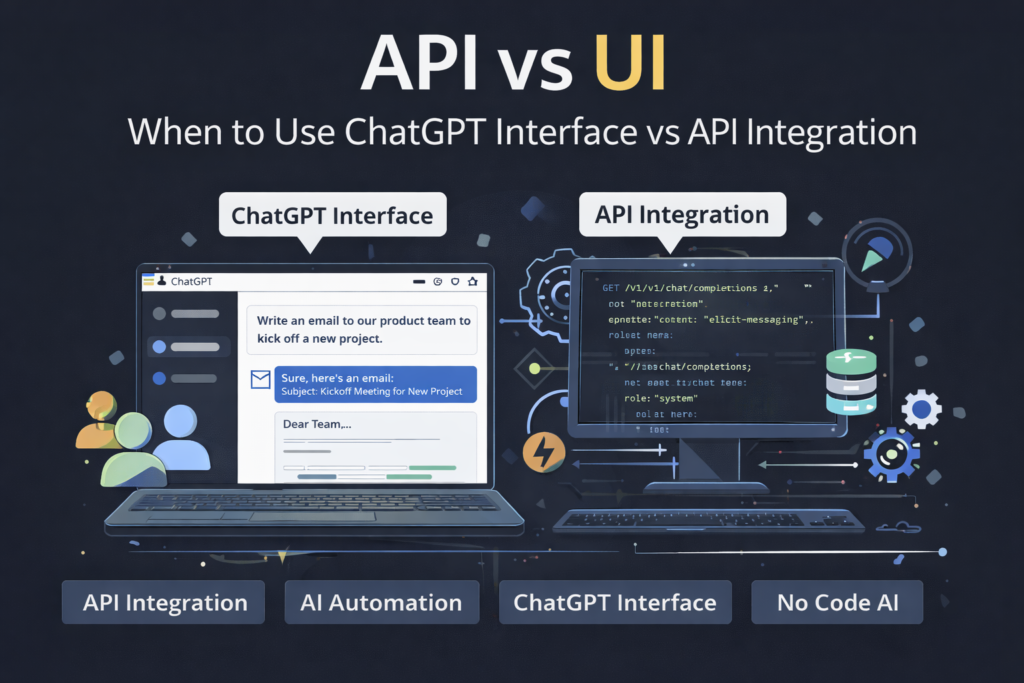
Should you keep using the ChatGPT interface—or move to an API integration?
This guide breaks down the API vs UI decision clearly, without jargon, so you know exactly when each option makes sense.
What Is the ChatGPT UI?
The ChatGPT interface (UI) is the web-based chat experience most people start with. It’s designed for speed, experimentation, and everyday tasks.
If you’re new to AI, this is the fastest way to get value—especially if you’re still learning prompting basics. A great starting point is ChatGPT for Beginners: 7 Easy Ways to Boost Productivity.
Best Use Cases for the UI
- Brainstorming ideas
- Writing drafts or summaries
- Learning new concepts
- One-off research questions
- Testing prompts quickly
In short, the UI is ideal when humans stay in the loop.
What Is the ChatGPT API?
The ChatGPT API allows developers and no-code builders to embed AI directly into applications, workflows, or products.
Instead of chatting manually, your system sends requests programmatically and receives structured responses—perfect for automation and scale.
If automation is your goal, pairing the API with tools like Zapier is a natural step. This walkthrough on automating workflows with ChatGPT and Zapier shows how quickly things can level up.
Key Differences: API vs UI (At a Glance)
| Feature | ChatGPT UI | ChatGPT API |
|---|---|---|
| Ease of use | ✅ Very easy | ❌ Requires setup |
| Automation | ❌ Manual | ✅ Fully automated |
| Scalability | ❌ Limited | ✅ High |
| Cost control | ❌ Fixed plans | ✅ Pay per usage |
| Integration | ❌ Standalone | ✅ Apps & workflows |
| Custom behavior | ❌ Limited | ✅ Full control |
When the ChatGPT UI Is the Right Choice
Despite the hype around APIs, the UI is still the best tool for many users.
Use the UI when:
- You’re exploring ideas or learning AI concepts
- Tasks change frequently
- You don’t need repeatability
- You want instant feedback
For creators and solo builders, pairing the UI with productivity tools often delivers more value than jumping into APIs too early. For example, Chrome extensions that boost productivity often outperform complex setups.
When You Should Switch to the API
The API becomes essential once humans become the bottleneck.
Use the API when:
- Tasks are repetitive
- Outputs must follow strict formats
- AI needs to run in the background
- You want AI inside products or tools
This is especially true for teams building chatbots, internal tools, or document systems. If that’s your direction, how to build a document Q&A system with RAG shows why APIs are non-negotiable.
Automation Is the Tipping Point
The biggest difference isn’t UI vs API—it’s manual vs automated thinking.
Once you start designing workflows where:
- One AI step feeds another
- Tools trigger AI automatically
- AI responds without human input
You’re no longer in UI territory.
This shift is well explained through prompt chaining with real-world examples and becomes even more powerful when combined with agentic AI workflows.
Cost Considerations: UI vs API
This is where many users hesitate.
- UI plans feel simple but can hide inefficiencies
- API pricing is usage-based and transparent
If you’re generating large volumes or running AI at scale, APIs often end up cheaper and more predictable. Understanding token limits and prompt sizing helps avoid surprises.
UI + API: The Best Strategy Is Often Both
Here’s the reality most experienced teams discover:
- UI for exploration and prompt design
- API for execution and scale
Many builders design prompts in ChatGPT, then deploy them via API once stable. This workflow pairs well with version control for prompts to prevent regressions.
Common Mistakes to Avoid
Regardless of approach, watch out for:
- Jumping to APIs before understanding prompts
- Over-automating creative tasks
- Ignoring failure handling
- Trusting outputs without validation
If accuracy matters, learning why AI hallucinates is essential—especially when APIs run unattended.
Final Verdict: UI or API?
Choose ChatGPT UI if:
- You’re learning, experimenting, or creating manually
Choose ChatGPT API if:
- You’re automating, scaling, or building systems
And remember—the smartest setups use both, intentionally.
For more practical guides on AI workflows, automation, and real-world use cases, explore https://tooltechsavvy.com/ and build with clarity, not complexity.