
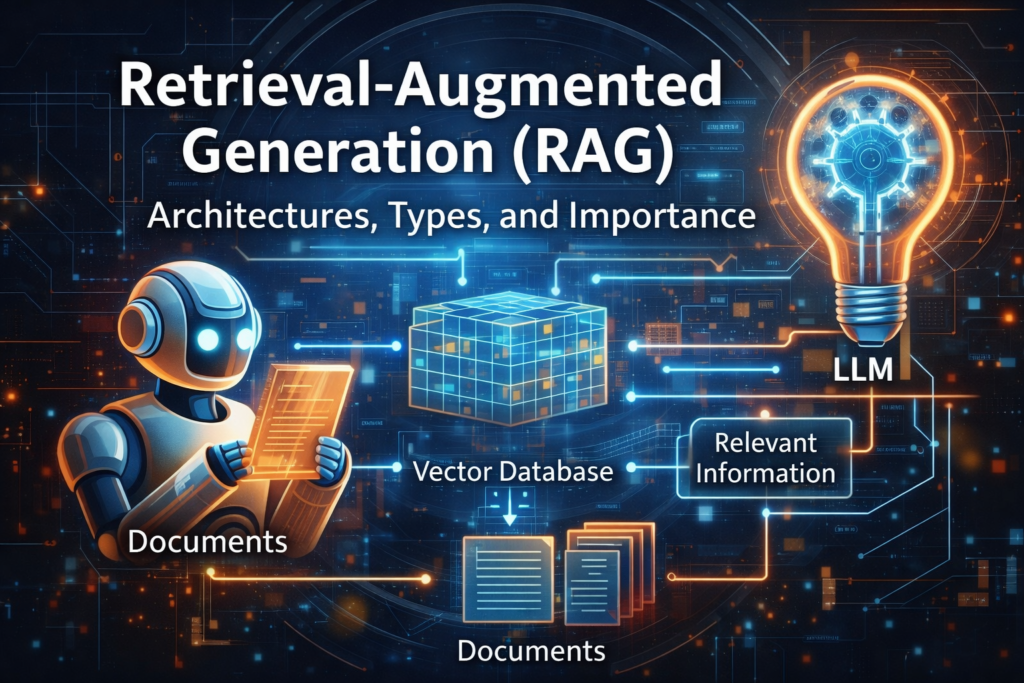
Large Language Models (LLMs) like ChatGPT feel intelligent, fluent, and confident. However, beneath the surface, they all share the same weakness: they don’t truly “know” anything beyond their training data.
This limitation leads to:
- Outdated answers
- Confident hallucinations
- Inability to use private or proprietary information
As explained in
👉 https://tooltechsavvy.com/understanding-ai-hallucinations-why-ai-makes-things-up/
this isn’t a bug — it’s a structural limitation.
Retrieval-Augmented Generation (RAG) was created to solve this exact problem by combining information retrieval with text generation, allowing AI systems to look things up before answering.
What Is Retrieval-Augmented Generation (RAG)?
Retrieval-Augmented Generation is an AI architecture where a language model:
- Retrieves relevant information from external data sources
- Uses that retrieved context to generate grounded responses
Instead of guessing, the model answers based on evidence.
This makes RAG fundamentally different from prompt-only or fine-tuned systems.
If you’re new to AI workflows, this concept builds naturally on the foundations explained in
👉 https://tooltechsavvy.com/how-to-understand-ai-models-without-the-jargon/
The Core RAG Architecture (Explained Visually)
Below is a conceptual architecture diagram you can include directly in your blog.
User Query
    |
    v
Query Embedding
    |
    v
Vector Database
(Semantic Search)
    |
    v
Relevant Chunks Retrieved
    |
    v
Context Injection
    |
    v
LLM (Generation)
    |
    v
Final Answer (Grounded)
Each stage plays a critical role — skipping or poorly implementing even one leads to unreliable outputs.
Step-by-Step: How RAG Works in Practice
1. Data Ingestion and Chunking
Raw data (PDFs, docs, websites, notes) cannot be used directly. They must be:
- Cleaned
- Split into chunks
- Stored efficiently
Chunking is crucial because LLMs have limited context windows, as explained in
👉 https://tooltechsavvy.com/token-limits-demystified-how-to-fit-more-data-into-your-llm-prompts/
2. Embedding Creation
Each chunk is converted into a numerical representation called an embedding, capturing semantic meaning rather than keywords.
This is the backbone of modern AI retrieval.
Deep dive here:
👉 https://tooltechsavvy.com/what-are-embeddings-ais-secret-to-understanding-meaning-simplified/
3. Vector Storage and Retrieval
Embeddings are stored in vector databases. When a user asks a question:
- The query is embedded
- Similar vectors are retrieved
- The most relevant chunks are selected
A practical explanation is available in
👉 https://tooltechsavvy.com/vector-databases-simplified-a-complete-guide-to-chroma-pinecone-weaviate/
4. Augmented Generation
The retrieved context is injected into the prompt so the LLM can generate an answer based on retrieved facts, not assumptions.
This is what transforms AI from “autocomplete” into “knowledge-grounded reasoning.”
RAG Architectures Explained in Detail
Not all RAG systems are created equal. Let’s explore the main architectures in depth.
1. Vanilla RAG(Simple RAG) (Single-Step Retrieval)
What It Is
Vanilla RAG performs one retrieval pass per query.
How It Behaves
- Retrieves top-k chunks
- Passes them directly to the LLM
- Generates an answer immediately
Why It’s Popular
It’s simple, fast, and cost-effective.
Where It Breaks
- Complex questions
- Multi-document reasoning
- Ambiguous user intent
Best For
- FAQs
- Simple document Q&A
- Internal help desks
Vanilla RAG is often the starting point, not the end goal.
2. Advanced RAG (Multi-Step Retrieval)
What Changes
Advanced RAG introduces iteration and reasoning between retrieval steps.
How It Works
- Initial retrieval provides partial context
- The model identifies gaps
- Additional retrievals are triggered
- Context is refined before answering
Why This Matters
Real questions often require:
- Cross-referencing sources
- Clarifying ambiguity
- Synthesizing multiple viewpoints
Trade-Off
Better accuracy, higher cost.
Best For
- Research assistants
- Legal or policy analysis
- Technical troubleshooting
This approach is explained further in
👉 https://tooltechsavvy.com/how-to-improve-your-ai-with-retrieval-augmented-generation/
3. Agentic RAG (Autonomous Retrieval)
What Makes It Different
Agentic RAG introduces decision-making agents that control retrieval.
What the Agent Decides
- When to retrieve
- What to retrieve
- Whether more information is needed
- Which sources to trust
Why This Is Powerful
The system stops acting like a search engine and starts acting like a research assistant.
Challenges
- Complex orchestration
- Requires guardrails
- Harder to debug
Best For
- AI copilots
- Workflow automation
- Autonomous research
This aligns closely with concepts from
👉 https://tooltechsavvy.com/beginners-guide-to-ai-agents-smarter-faster-more-useful/
4. Hybrid Search RAG
The Problem It Solves
Pure vector search struggles with:
- IDs
- Error codes
- Exact names
The Solution
Hybrid RAG combines:
- Semantic search (vectors)
- Keyword search
- Metadata filtering
Why Enterprises Prefer It
It offers predictable, precise retrieval, especially for technical data.
Best For
- Enterprise knowledge bases
- Product documentation
- Support ticket analysis
Types of RAG Based on Real-World Usage
1. Document-Based RAG (Document QA)
Allows users to query:
- PDFs
- Manuals
- Internal documentation
This removes the need for retraining models and keeps data private.
Tutorial reference:
👉 https://tooltechsavvy.com/how-to-build-a-document-qa-system-with-rag/
2. Search-Augmented RAG
Enhances traditional search by:
- Retrieving sources
- Generating synthesized answers
This is the foundation of modern AI search engines.
Comparison example:
👉 https://tooltechsavvy.com/perplexity-vs-chatgpt-search-which-ai-search-engine-is-better/
3. Enterprise Knowledge RAG
Built for:
- Permissions
- Compliance
- Structured metadata
Often invisible — but mission-critical.
4. Personal Knowledge RAG
Acts as a second brain, enabling conversational access to personal notes, ideas, and archives.
Great companion to productivity systems discussed in
👉 https://tooltechsavvy.com/the-ultimate-guide-to-choosing-between-notion-trello-and-clickup/
RAG Architecture Comparison Table
| Feature | Vanilla RAG | Advanced RAG | Agentic RAG | Hybrid RAG |
|---|---|---|---|---|
| Retrieval Steps | Single | Multiple | Dynamic | Combined |
| Reasoning | Minimal | Moderate | High | Low–Moderate |
| Accuracy | Medium | High | Very High | High |
| Latency | Low | Medium | High | Medium |
| Complexity | Low | Medium | High | Medium |
| Best Use Case | FAQs | Research | AI Copilots | Enterprise Docs |
Why RAG Is Essential for Modern AI
RAG enables:
- Up-to-date knowledge
- Private data access
- Reduced hallucinations
- Lower costs than fine-tuning
For a direct comparison, see
👉 https://tooltechsavvy.com/the-ultimate-guide-to-llm-data-integration-rag-vs-fine-tuning/
Final Thoughts
Retrieval-Augmented Generation is not just a feature — it’s a foundational AI design pattern.
As AI systems move toward:
- Agents
- Multi-modal workflows
- Enterprise deployment
RAG will remain the backbone that makes AI useful, trustworthy, and scalable.
To continue mastering AI architectures, workflows, and real-world tools, explore more in-depth guides on ToolTechSavvy, where complex AI concepts are made practical and clear.

