
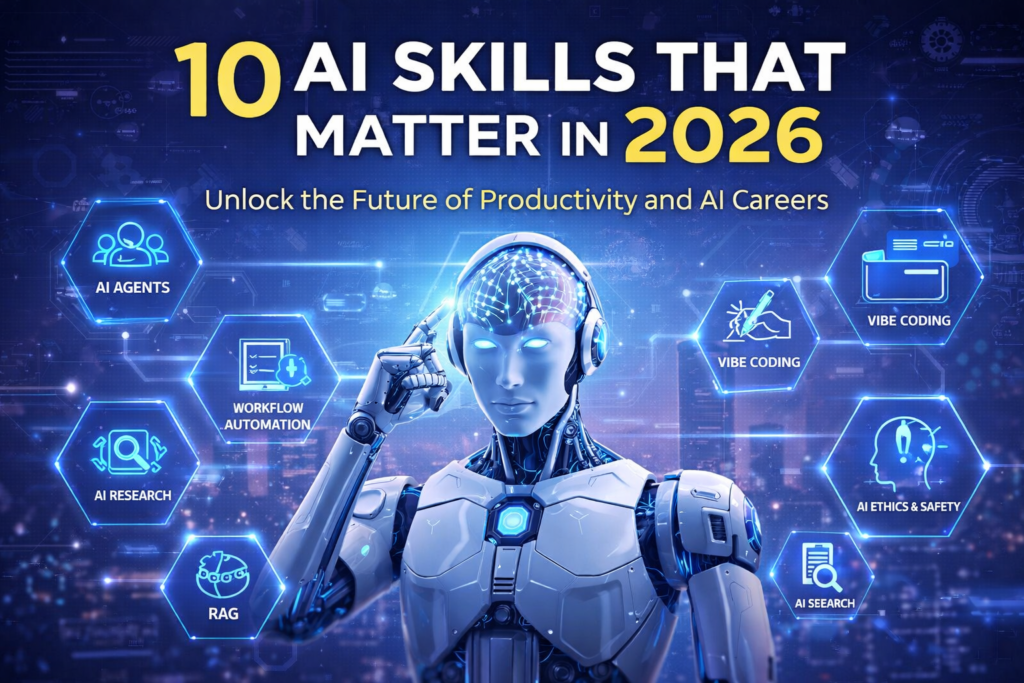
Artificial intelligence is no longer just a tool you use—in 2026, it’s something you work alongside. While basic AI usage is now mainstream, the real advantage lies in mastering how AI thinks, connects, and executes tasks.
So, whether you’re a creator, professional, or founder, these are the 10 AI skills that will truly matter in 2026—and why learning them now puts you ahead of the curve.
1. Advanced Prompt Engineering: Beyond Basic Conversations
First and foremost, prompt engineering remains the foundational skill for working with AI in 2026. However, the bar has been raised significantly. Basic prompts like “write me a chat bot code” simply won’t cut it anymore.
Modern prompt engineering involves understanding role-based prompting, context windows, and structured outputs. For instance, when you use GPTs like a pro with role-based prompts, you’re creating personas that consistently deliver better results.
Moreover, techniques like prompt chaining have become essential. Instead of asking for everything at once, you’re breaking complex tasks into sequential steps that build upon each other.
Key skills to develop:
- Advanced prompt patterns including chain-of-thought and tree-of-thought reasoning
- Custom system prompts for specialized outputs
- Meta-prompting (getting AI to write better prompts for you)
- Negative prompting techniques
In addition to these techniques, understanding proven ChatGPT techniques that advanced users rely on will give you a significant edge over those still using basic prompts.
Tools to master this skill:
- ChatGPT Plus – For accessing GPT-4 and creating custom GPTs
- Claude (Anthropic) – Excellent for long-form content and complex reasoning
- Perplexity AI – Perfect for research-focused prompting
- PromptPerfect – AI tool that optimizes your prompts automatically
- LangChain Prompt Hub – Library of proven prompt templates
2. Understanding AI Architecture: Know What’s Under the Hood
Consequently, you don’t need to become a machine learning engineer, but understanding the basics of how AI models work is increasingly valuable. This knowledge helps you make better decisions about which tools to use and how to use them effectively.
For example, knowing the difference between model parameters (7B, 13B, 70B) helps you choose the right model for your task. Similarly, understanding context windows and why ChatGPT forgets things prevents frustration and helps you structure your interactions more effectively.
Essential concepts to grasp:
- Attention mechanisms (the heart of transformers)
- Embeddings and how AI understands meaning
- Temperature vs. Top-P sampling parameters
- Basic AI architecture concepts
Additionally, understanding Mixture of Experts (MoE) architecture explains how modern LLMs stay efficient, which is particularly relevant as models become more sophisticated.
Tools to master this skill:
- Hugging Face – Explore different models and their architectures hands-on
- LM Studio – Run models locally to understand their behavior (see Ollama vs. LM Studio comparison)
- Ollama – Easy local model deployment for experimentation
- OpenAI Playground – Experiment with temperature and sampling parameters
- AI Model Explorer tools – Visualize attention patterns and model internals
3. Retrieval-Augmented Generation (RAG): Making AI Smarter with Your Data
RAG has emerged as one of the most practical AI skills for 2026. Rather than relying solely on a model’s training data, RAG allows you to give AI access to your specific documents, knowledge bases, or databases.
Think of it this way: instead of asking ChatGPT to remember everything you’ve ever told it, you’re building a system where AI can look up the information it needs from your files. This is transformative for businesses and individuals alike.
To get started, check out our beginner’s guide to RAG and vector databases. Then, move on to improving your AI with RAG implementation.
Practical applications:
- Building document Q&A systems
- Complete RAG workflows
- Working with vector databases (Chroma, Pinecone, Weaviate)
Furthermore, understanding RAG vs. fine-tuning helps you choose the right approach for integrating your data with AI models.
Tools to master this skill:
- Pinecone – Managed vector database, easiest for beginners
- Chroma – Open-source, great for local development
- Weaviate – Production-ready with advanced features
- LangChain – Framework for building RAG applications
- LlamaIndex – Specialized in document indexing and retrieval
- NotebookLM – Google’s no-code RAG tool for documents
4. AI Automation Workflows: Connect the Dots Between Tools
Subsequently, knowing how to use AI is one thing; automating AI-powered workflows is another level entirely. In 2026, the ability to connect AI tools with other applications has become indispensable.
Platforms like Zapier and Make.com have become essential bridges between AI and your existing tools. For instance, you can automate your content calendar using ChatGPT and Zapier, or create more sophisticated systems using Zapier filters and paths for complex automations.
Key automation skills:
- Setting up Notion + Zapier + ChatGPT workflows
- Creating AI-powered email automation
- Building complex workflows with AI copilots
- Working with Make.com and AI APIs
Importantly, these skills separate those who use AI as a fancy chatbot from those who transform their entire workflow.
Tools to master this skill:
- Zapier – Most user-friendly, 6,000+ app integrations
- Make (formerly Integromat) – More powerful for complex workflows
- n8n – Open-source alternative with AI nodes
- Activepieces – Developer-friendly automation platform
- Bardeen – Browser-based automation with AI capabilities
- OpenAI API – Direct integration for custom workflows
5. Agentic AI: The Future of AI Interaction
Meanwhile, agentic AI represents the shift from passive tools to autonomous assistants. Instead of AI waiting for your next command, agentic systems can plan, execute multi-step tasks, and make decisions on your behalf.
This is perhaps the most transformative skill on this list. As explained in our guide to adopting the agentic AI mindset, this approach fundamentally changes how we work with AI.
To understand this better, start with our beginner’s guide to AI agents, then explore 5 agentic tools you need now.
Essential agentic AI knowledge:
- Designing prompts for autonomous agents
- Deploying AI agents for everyday tasks
- Building no-code AI agents with Replit and Claude
- Understanding agentic AI frameworks (LangGraph, AutoGen, CrewAI)
Additionally, check out what big tech’s agentic AI investments mean for you to understand where this field is heading.
Tools to master this skill:
- AutoGPT – Pioneer in autonomous AI agents
- AgentGPT – Browser-based autonomous agents
- LangGraph – Build production-grade agent systems
- CrewAI – Multi-agent collaboration framework
- AutoGen (Microsoft) – Conversational AI agents
- Replit Agent – No-code agent building
- Claude Code – Coding assistant with agentic capabilities
6. Practical AI Development: Building Your Own Tools
On the other hand, you don’t need to be a professional developer to build AI-powered tools anymore. Thanks to “vibe coding” and AI-assisted development, creating custom AI applications has become accessible to non-programmers.
Our guide to vibe coding explains how GPTs make coding fun and simple. Then, you can progress to using vibe coding for real projects.
Beginner-friendly development skills:
- Step-by-step vibe coding for complete beginners
- Building your first OpenAI Python script in 5 minutes
- Creating your own AI chatbot with Streamlit and GPT-4
- Building a custom AI writing assistant
Furthermore, tools like Cursor and GitHub Copilot make AI-assisted coding incredibly powerful even for experienced developers.
Tools to master this skill:
- Cursor – AI-first code editor, best for vibe coding
- GitHub Copilot – AI pair programmer integrated into VS Code
- Replit – Browser-based coding with AI assistance
- V0 (Vercel) – Generate React components from descriptions
- Bolt.new – Full-stack web app creation with AI
- Streamlit – Build AI apps with Python easily
- Gradio – Create ML demos and interfaces quickly
- Google Colab – Free Jupyter notebooks for AI experimentation
7. AI Tool Selection & Integration: Choosing the Right Tools
Equally important, with thousands of AI tools available, knowing which ones to use (and which to ignore) has become a critical skill. Analysis paralysis is real, and the wrong tool can waste countless hours.
That’s why selecting AI tools without getting overwhelmed requires a strategic approach. Start by exploring the top 5 free AI tools you can start using today.
Strategic tool knowledge:
- Choosing the right AI model for your workflow
- Comparing Perplexity vs. ChatGPT search
- Understanding Julius AI vs. ChatGPT for data analysis
- Top free AI copilot tools for productivity
Moreover, knowing about specialized tools like NotebookLM for document analysis or Google Gemini for AI-powered answers expands your toolkit significantly.
Essential tool categories and top picks:
- General AI Assistants: ChatGPT, Claude, Gemini, Perplexity
- Code Assistants: Cursor, GitHub Copilot, Codeium, Tabnine
- Writing Tools: Jasper, Copy.ai, Writesonic, Rytr
- Research Tools: Perplexity, Consensus, Elicit, NotebookLM
- Data Analysis: Julius AI, ChatGPT Advanced Data Analysis, Claude
- Productivity: AI-powered Chrome extensions
- Image Generation: Midjourney, DALL·E, Stable Diffusion
8. AI Safety & Responsible Use: Understanding the Guardrails
Nevertheless, as AI becomes more powerful, understanding safety, privacy, and ethical considerations is non-negotiable. This isn’t just about avoiding problems—it’s about building trust and using AI responsibly.
Start by understanding why AI hallucinates and makes things up. Then, learn about what happens to your prompts and conversations from a privacy perspective.
Critical safety knowledge:
- Prompt injection attacks and defenses
- AI guardrails and safety systems
- The responsibility mindset for AI outputs
- How security researchers test AI models
Additionally, understanding AI content detection tools is important for anyone creating AI-assisted content professionally.
Tools to master this skill:
- NeMo Guardrails (NVIDIA) – Open-source safety framework
- Guardrails AI – Validate and correct LLM outputs
- LangKit – Monitor AI application safety
- AI Content Detectors: GPTZero, Originality.ai, Winston AI
- Prompt Injection Testing: Garak, PromptInject
- Privacy Tools: LocalAI, Ollama (for keeping data local)
- Sanitization Libraries: DOMPurify, bleach (for input cleaning)
9. Productivity Systems with AI: Building Your Digital Workflow
In the same vein, integrating AI into your existing productivity systems multiplies its value. Rather than using AI in isolation, successful users weave it throughout their entire workflow.
This starts with understanding the digital copilot mindset. Then, you can build comprehensive systems using tools like Notion, documented in the best free Notion templates for productivity.
System-building skills:
- Building a personal knowledge base with Obsidian and AI
- Creating your personal AI playbook
- Understanding Notion vs. Trello vs. ClickUp
- Digital habits for turning side projects into businesses
Furthermore, learning how to balance creativity and automation ensures you’re enhancing rather than replacing human judgment.
Tools to master this skill:
- Notion AI – AI integrated into your knowledge base (see best Notion templates)
- Obsidian + AI plugins – For personal knowledge management
- Mem – Self-organizing notes with AI
- Reflect – Networked note-taking with GPT-4
- Motion – AI calendar and task management
- Reclaim.ai – Smart calendar scheduling
- Taskade – AI-powered task lists and collaboration
- ClickUp with AI – Project management enhanced by AI
10. Continuous AI Learning: Staying Updated in a Fast-Moving Field
Finally, perhaps the most important skill is the ability to continuously learn and adapt. The AI field moves so quickly that what’s cutting-edge today might be old news in three months.
This requires developing a growth mindset, as detailed in the growth mindset approach to learning machine learning. Focus on what actually matters using the 80/20 rule.
Learning strategies:
- Following AI updates explained in plain English
- Understanding AI terms you actually need to know
- Tracking what OpenAI’s latest updates mean for everyday users
- Learning about new open-source models and their implications
Additionally, building in public accelerates your learning by creating accountability and connecting you with other learners.
Tools and resources to master this skill:
- Learning Platforms: DeepLearning.AI, Fast.ai, Coursera AI courses
- AI News Aggregators: Ben’s Bites, The Rundown AI, AI Breakfast
- Model Playgrounds: Hugging Face Spaces, Replicate, free AI model demos
- Developer Tools: VS Code with AI extensions, Jupyter/Colab notebooks
- Community Platforms: X (Twitter), Reddit (r/MachineLearning, r/LocalLLaMA), Discord servers
- Documentation Sites: OpenAI docs, Anthropic docs, LangChain docs
- Experimentation: Open-source model experimentation
Conclusion: The AI Skills That Actually Matter
To sum up, mastering AI in 2026 isn’t about understanding every technical detail or using every new tool that launches. It’s about developing a core set of practical skills that let you leverage AI effectively in your work and life.
The 10 skills we’ve covered—from advanced prompting to continuous learning—form a comprehensive foundation. They’re interconnected, meaning progress in one area often accelerates learning in others.
Most importantly, remember that AI is a tool to augment human capability, not replace it. The goal isn’t to become a machine learning engineer (unless that’s your path). Instead, it’s to become someone who can confidently use AI to solve real problems, automate tedious tasks, and multiply your creative output.
Ready to get started? Pick one skill from this list, commit to learning it this month, and watch how it transforms your relationship with AI. The future belongs to those who can work alongside AI, not those who fear it or ignore it.

