The internet feels magical. You type a website address, press Enter, and content instantly appears on your screen. But behind that simplicity is a carefully coordinated system of technologies working together in milliseconds.
If you’re new to tech, understanding how the internet actually works can feel overwhelming. This guide breaks it down step by step—without jargon—so you can clearly see how DNS, HTTP, and browsers work together.
The Internet in One Simple Sentence
The internet is a global network of computers that communicate with each other using agreed-upon rules.
Those rules are called protocols, and the most important ones for everyday web usage are DNS and HTTP.
Step 1: What Happens When You Type a Website Address?
Let’s say you type:
www.example.com
Your browser doesn’t magically know where that website lives. It has to ask for directions.
That’s where DNS comes in.
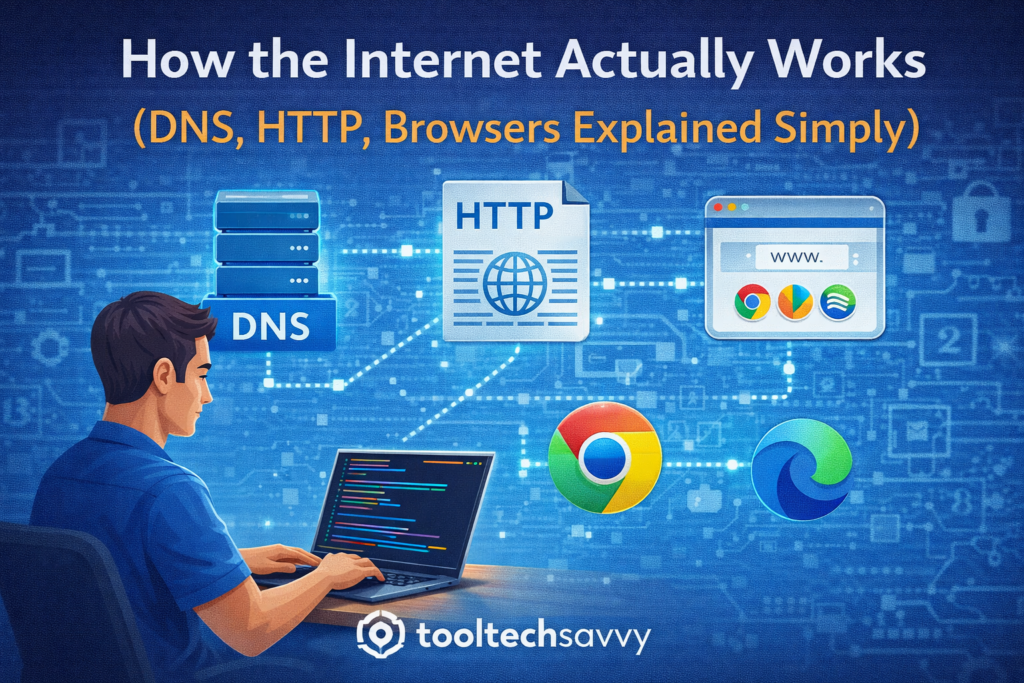
What Is DNS? (The Internet’s Phonebook)
DNS stands for Domain Name System.
Humans like names such as example.com.
Computers prefer numbers called IP addresses, like 192.168.1.1.
DNS translates human-friendly domain names into computer-friendly IP addresses.
In simple terms:
- You ask for a website name
- DNS finds the correct server address
- Your browser now knows where to go
Without DNS, you’d have to remember numbers instead of website names.
Step 2: What Is HTTP? (How Data Is Transferred)
Once your browser knows where the website lives, it needs a way to ask for the content.
That’s where HTTP comes in.
HTTP stands for HyperText Transfer Protocol.
It defines how browsers and servers request and send data.
A simple example:
- Browser: “Please send me the homepage.”
- Server: “Here is the page content.”
HTTPS is the secure version of HTTP, meaning the data is encrypted and protected while traveling.
Step 3: What Does a Browser Actually Do?
Your browser is more than a window to the internet.
It:
- Sends DNS and HTTP requests
- Receives raw data (HTML, CSS, JavaScript)
- Translates that data into a visual webpage
- Runs scripts and loads images
- Handles user interaction
In short, the browser turns code into something humans can use.
How These Pieces Work Together
Here’s the full flow in simple steps:
- You type a website address
- DNS finds the server’s IP address
- The browser sends an HTTP request
- The server responds with data
- The browser displays the webpage
All of this happens in a fraction of a second.
Why Developers Should Understand This
Understanding how the internet works helps developers:
- Debug network issues
- Build faster and more secure apps
- Understand cloud and backend systems
- Write better APIs
- Troubleshoot performance problems
Even frontend developers benefit from knowing what happens behind the scenes.
Common Internet Misconceptions
- The internet is not the same as the web
The web is just one service built on top of the internet. - Websites don’t live “in the cloud” magically
They run on real servers in real data centers. - Browsers don’t store the internet
They request and render content on demand.
Clearing up these misconceptions builds stronger technical intuition.
How This Connects to Cloud, DevOps, and Security
Once you understand DNS, HTTP, and browsers:
- Cloud architectures make more sense
- Load balancers and APIs become clearer
- Security concepts like HTTPS and authentication feel logical
- DevOps workflows are easier to grasp
These fundamentals power almost everything in modern tech.
Final Thoughts
The internet isn’t magic—it’s a well-designed system built on simple ideas repeated at massive scale. By understanding DNS, HTTP, and browsers, beginners gain clarity that makes learning software engineering, cloud, and DevOps far easier.
If you want to continue learning—from internet fundamentals to advanced topics like AI—visit https://tooltechsavvy.com/.
Explore the blog to dive into AI, software engineering, cloud, DevOps, tools, and other interesting topics designed to help you grow confidently in tech