
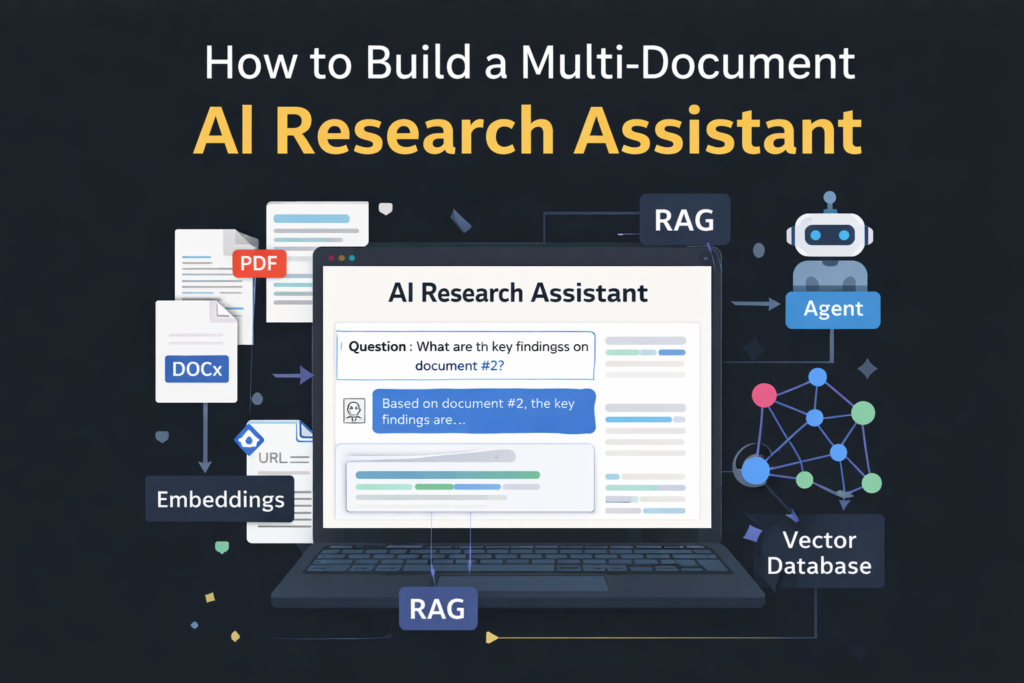
Research today is broken.
Information is scattered across PDFs, docs, web pages, and notes—and jumping between them kills focus. As a result, even powerful AI tools often fail when you ask questions across multiple documents.
That’s where a multi-document research assistant changes everything.
In this guide, you’ll learn how to build an AI assistant that can read, index, and reason across many documents at once—the same foundation behind tools like NotebookLM, enterprise chatbots, and internal knowledge systems.
Whether you’re a beginner or experimenting with AI workflows, this walkthrough keeps things practical and clear.
What Is a Multi-Document Research Assistant?
A multi-document research assistant is an AI system that can:
- Ingest multiple files (PDFs, docs, notes, links)
- Understand their context and relationships
- Retrieve relevant sections when asked a question
- Generate grounded, accurate answers
Unlike basic chatbots, it doesn’t rely on memory alone. Instead, it uses retrieval-augmented generation (RAG) to fetch the right information before answering.
If you’re new to this concept, start with this plain-English breakdown of Retrieval-Augmented Generation to understand why it powers modern AI search.
Why Traditional Chatbots Fail at Multi-Document Research
At first glance, tools like ChatGPT feel powerful. However, problems emerge quickly:
- Context limits restrict how much text fits in a prompt
- The model may hallucinate missing details
- Large documents become unsearchable blobs
This is why many users hit frustration, especially when working with research papers, reports, or internal documentation.
If you’ve noticed ChatGPT “forgetting” things, this deep dive on context windows and why AI forgets explains the root cause.
Core Building Blocks of a Multi-Document Research Assistant
To solve this properly, you need a system—not just a prompt.
1. Document Ingestion & Chunking
First, documents are broken into smaller, meaningful chunks (paragraphs or sections). This improves recall and precision.
2. Embeddings (Meaning, Not Keywords)
Each chunk is converted into vector embeddings, allowing the system to search by meaning rather than exact words.
If embeddings sound abstract, this beginner-friendly guide on what embeddings are and why they matter makes it intuitive.
3. Vector Database
Those embeddings are stored in a vector database like Chroma or Pinecone, enabling fast similarity search.
For a simplified comparison, see Vector Databases Explained.
4. Retrieval-Augmented Generation (RAG)
When a user asks a question:
- The system retrieves the most relevant chunks
- Those chunks are passed to the LLM
- The model answers based on your documents
This architecture is the foundation of most serious research assistants today.
Step-by-Step: How to Build One (Beginner Friendly)
Step 1: Choose Your AI Model
Start with a reliable LLM—cloud or local.
If you’re unsure which model fits your needs, this guide on choosing the right AI model for your workflow helps you avoid overkill.
Step 2: Ingest and Index Documents
You’ll need to:
- Upload PDFs, docs, or markdown files
- Chunk them logically
- Generate embeddings
This hands-on tutorial on building a document Q&A system with RAG walks through the exact flow.
Step 3: Store Embeddings in a Vector Database
Once embeddings are generated, store them for fast retrieval.
If you’re experimenting locally, pair this with insights from Ollama vs LM Studio to keep everything on your machine.
Step 4: Add Smart Retrieval Logic
Instead of dumping all documents into the prompt:
- Retrieve only top-k relevant chunks
- Rank them by similarity
- Pass only what matters
This dramatically improves accuracy and reduces hallucinations—something many beginners overlook.
Step 5: Wrap It in an Assistant Interface
Now comes the fun part.
You can:
- Build a simple UI using Streamlit
- Create a no-code workflow with Zapier
- Or deploy an agent-style assistant
If you want automation without heavy coding, explore how to build AI workflows with Zapier and ChatGPT.
Going Beyond Q&A: Turning It into a Research Agent
Once retrieval works, you can add agentic behavior:
- Ask clarifying questions
- Compare documents
- Summarize contradictions
- Generate structured reports
This evolution is explained clearly in Beginner’s Guide to AI Agents.
To design smarter behavior, also study prompt chaining with real-world examples.
Common Mistakes to Avoid
Even experienced builders slip up. Watch out for:
- Uploading entire documents without chunking
- Ignoring retrieval ranking
- Overloading prompts (see token limits demystified)
- Trusting outputs without source grounding
Understanding AI hallucinations and why they happen will save you hours of debugging.
Real-World Use Cases
A multi-document research assistant can power:
- Academic literature reviews
- Internal company knowledge bases
- Legal and policy analysis
- Product documentation search
- Personal learning systems
If you like the idea of a personal knowledge hub, this guide on building a personal knowledge base with Obsidian + AI is a natural next step.
Final Thoughts: Research Is Becoming Conversational
Multi-document research assistants represent a shift:
From searching → to asking
From manual reading → to AI-assisted reasoning
The good news? You don’t need to be an AI engineer to build one anymore.
Start small, understand RAG, and iterate. Over time, you’ll move from basic Q&A to truly agentic research workflows.
For more beginner-friendly guides on AI, automation, and practical workflows, explore https://tooltechsavvy.com/ and keep building smarter—not harder.

