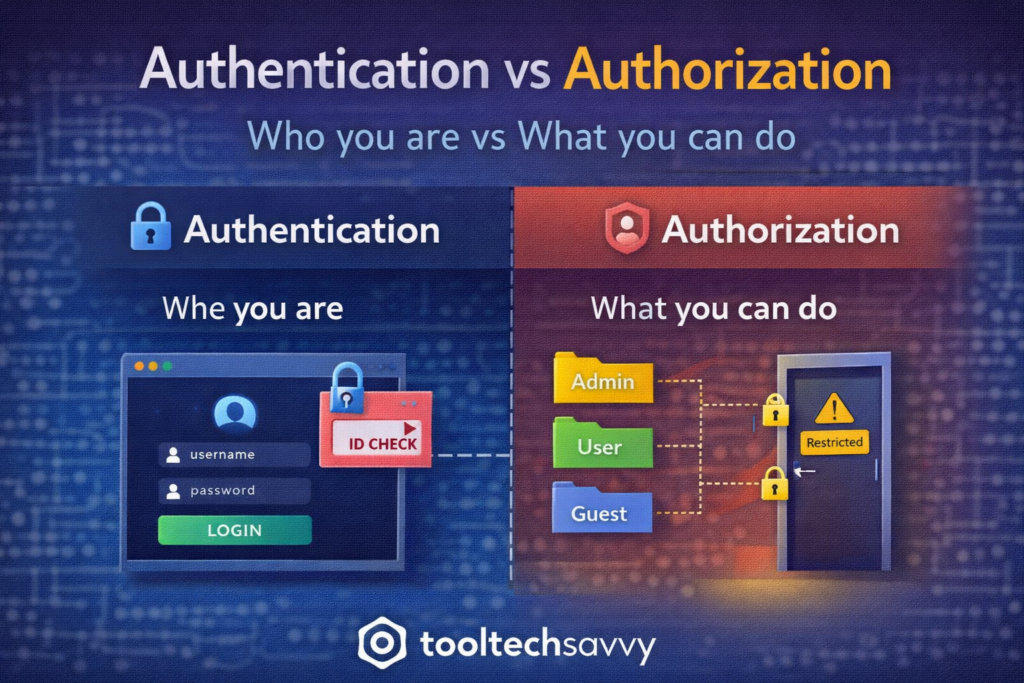
Authentication and authorization are two security concepts every developer hears early on—but they’re also two of the most commonly confused terms in tech.
They sound similar, they often appear together, and they both relate to access control. But they solve very different problems. Understanding this difference is essential for building secure applications.
This guide explains authentication vs authorization in simple terms, with clear examples beginners can easily follow.
The One-Line Difference
- Authentication answers: Who are you?
- Authorization answers: What are you allowed to do?
Both are required for secure systems, but they happen at different stages.
What Is Authentication?
Authentication is the process of verifying a user’s identity.
It confirms that someone is who they claim to be before granting access.
Common Authentication Methods
- Username and password
- One-time passwords (OTP)
- Biometrics (fingerprint, face ID)
- Security tokens
- Single sign-on (SSO)
If authentication fails, the system doesn’t know who you are—and access stops immediately.
Real-World Authentication Example
Think of entering a building.
You show your ID at the entrance.
Security checks it and confirms your identity.
That identity check is authentication.
What Is Authorization?
Authorization determines what an authenticated user is allowed to access or do.
It controls permissions and roles after identity has already been verified.
Common Authorization Examples
- Admin vs regular user access
- Read-only vs edit permissions
- Accessing specific pages or APIs
- Viewing private or restricted data
Authorization never happens without authentication first.
Real-World Authorization Example
After entering the building:
- You may access common areas
- You may not enter restricted rooms
Those access rules are authorization.
Authentication vs Authorization: Side-by-Side
| Authentication | Authorization |
|---|---|
| Verifies identity | Controls permissions |
| Happens first | Happens after |
| Answers “Who are you?” | Answers “What can you do?” |
| Uses credentials | Uses roles and policies |
Both are required to protect systems properly.
Why Developers Must Understand the Difference
Many security issues come from:
- Mixing authentication and authorization
- Checking login but forgetting permission checks
- Granting access too broadly
Understanding the difference helps developers:
- Prevent unauthorized access
- Protect sensitive data
- Design safer systems
Common Beginner Mistakes
Some common pitfalls include:
- Assuming login equals full access
- Hardcoding permissions
- Forgetting authorization checks on APIs
- Relying only on frontend checks
Security must always be enforced on the backend.
Authentication and Authorization in Modern Systems
These concepts are foundational to:
- Web applications
- APIs
- Cloud platforms
- Microservices
- DevOps and security workflows
They’re often implemented using standards and frameworks to reduce risk.
Do Beginners Need to Implement These from Scratch?
No.
Beginners should:
- Understand the concepts clearly
- Use trusted libraries and frameworks
- Avoid custom security logic early on
Reinventing security is risky. Understanding it is essential.
How This Connects to APIs, Cloud, and DevOps
Authentication and authorization protect:
- API endpoints
- Cloud resources
- CI/CD pipelines
- Admin dashboards
Without them, systems are exposed—no matter how advanced the technology.
Final Thoughts
Authentication and authorization work together to keep systems secure—but they are not the same thing. Authentication confirms identity. Authorization controls access.
Once beginners understand this distinction, security concepts become clearer, designs improve, and mistakes become easier to avoid.
To continue learning—from security fundamentals to advanced topics like AI—visit https://tooltechsavvy.com/.
Explore the blog to discover AI, software engineering, cloud, DevOps, tools, and other interesting topics designed to help you grow confidently in tech.