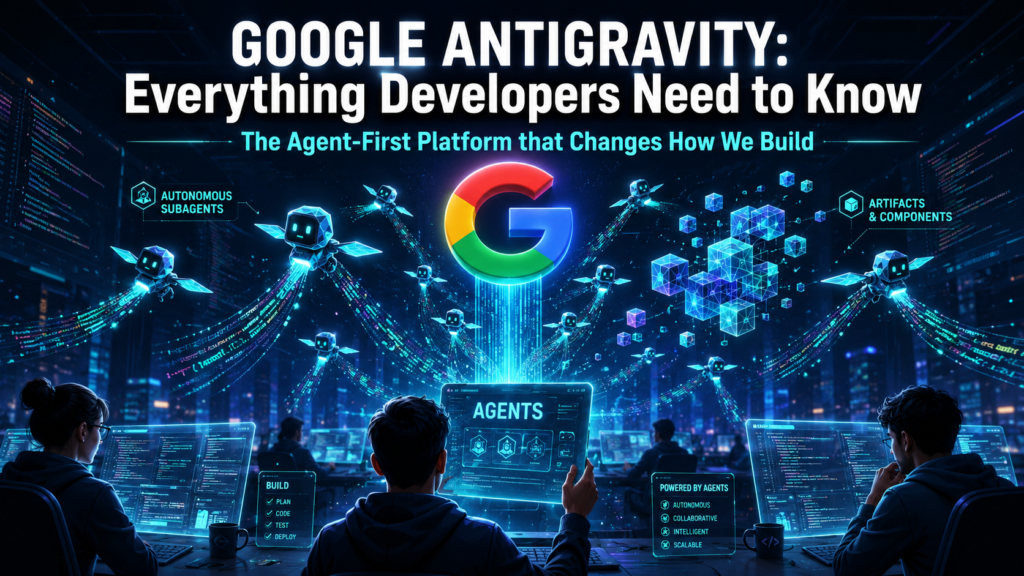
For years, AI coding tools have been sophisticated autocomplete — a chatbot in a sidebar, smarter tab completion, inline suggestions. Google Antigravity throws that playbook out entirely. Instead of assisting you line by line, it deploys autonomous agents that plan, code, test, and verify entire features on your behalf. This is what developers mean when they say “agent-first.” And right now, it’s completely free to try.
What Is Google Antigravity?
Google Antigravity is an agent-first integrated development environment (IDE) and developer platform launched on November 18, 2025, alongside the Gemini 3 model family. It was built from the ground up to make autonomous AI agents the primary mode of development — not an afterthought bolted on to a text editor.
Rather than a chatbot in your sidebar, Antigravity gives agents a dedicated workspace: their own views, their own memory of task state, their own ability to open terminals, launch applications, and test live UIs through an integrated browser. The developer’s role shifts from typing code to orchestrating agents and verifying their work.
Antigravity’s lineage traces back to Google’s acquisition of the Windsurf team (formerly Codeium) in mid-2025. Many users note the editor feels like a mature evolution of Windsurf — with deeper Google Cloud integration and a purpose-built multi-agent layer on top.
The platform ships with two distinct interaction surfaces:
Editor View — A traditional, AI-powered coding environment with tab completions, inline commands, and the familiar feel of a modern IDE. When you want to be hands-on, this is where you live.
Manager View (Mission Control) — The genuinely new part. A dedicated interface for dispatching, monitoring, and managing up to five parallel AI agents working on different tasks across your project simultaneously. Each agent produces structured “Artifacts” — task lists, screenshots, browser recordings, implementation plans — so you can verify their work without reviewing every diff.
Key Features
Multi-Agent Orchestration
Up to five agents can work in parallel on the same codebase. You might assign one to implement a new API endpoint, another to write tests, and a third to update the frontend — all running simultaneously, all reporting back through Artifacts. This is the most architecturally ambitious agent implementation in any IDE available today.
Artifacts System
When an agent completes work, it doesn’t just return code. It produces structured, human-readable Artifacts: task logs, reasoning steps, screenshots of the running app, browser session recordings, and patch summaries. This gives you the ability to audit and verify AI work at a higher level of abstraction, without reading every changed line.
Integrated Chromium Browser
A full browser is built directly into the IDE. Agents use it to launch your app, test UI interactions, and verify that features are working correctly — automatically. This browser-in-the-loop design means agents can close the feedback loop themselves, catching visual and functional regressions without human intervention.
Multi-Model Support
Antigravity isn’t locked to Gemini. The platform natively supports Gemini 3 Pro, Gemini 3 Flash, GPT-OSS-120B (the open-weights OpenAI variant), and Anthropic’s Claude Sonnet 4.6 and Opus 4.6. You can pick the right model for the right task — Gemini for tight Google Cloud workflows, Claude Opus for complex architectural reasoning, or Flash for rapid iteration.
Agent Designer and SDK (Antigravity 2.0)
With the Antigravity 2.0 release, the platform added a standalone desktop app separate from the IDE — a command center for orchestrating agents across multiple projects and folders. The Antigravity SDK lets platform teams build custom internal agents with standardized tooling (shell, Git, HTTP, databases) and scoped permissions, making it genuinely useful for enterprise DevOps pipelines.
Security Controls
Agent permissions can be finely scoped with Allow Lists and Deny Lists — controlling exactly which files, directories, or network endpoints an agent can access. Secure Mode requires confirmation for terminal commands, adding a safety gate for sensitive operations.
Pricing And Plans
As of May 2026, Google Antigravity remains in free public preview. This includes access to Gemini models and — notably — Claude Opus 4.6. This is unusually generous, and the free window won’t last indefinitely. Google is building developer mindshare before paid tiers lock in.
| Plan | Price | Key Inclusions | Best For |
|---|---|---|---|
| Preview (Current) FREE | $0 / mo | Full IDE + Manager View, up to 5 parallel agents, Gemini 3 Pro, Claude Opus 4.6, Artifacts | All developers — try it now while it lasts |
| Pro Upcoming | ~$20 / mo | Increased quotas, priority model access, 1M-token context window, expanded Artifacts storage | Individual developers with heavy daily use |
| Ultra | $249.99 / mo | Highest quotas, all models, full parallel agent capacity, priority support | Power users who need effectively unlimited agentic compute |
A March 2026 quota reduction cut the free tier’s allowance by approximately 92%, sparking significant community backlash (dubbed “the $20 paperweight” controversy). Several developers report that meaningful agentic work on the free tier now requires the Ultra plan ($249.99/mo). Verify current quotas at antigravity.google before committing to a workflow.
Getting Started: Setup Guide
Setup is straightforward on all major platforms (macOS, Windows, Linux). Here’s how to go from zero to running your first agent:
Visit antigravity.google and download the installer for your OS. Available as a standard installer on macOS (.dmg), Windows (.exe), and Linux (.deb/.rpm).
Run the installer once downloaded. On first launch, link your Google account. This connects you to Gemini model access under the preview quota.
Choose a default model from the settings. Start with gemini-3-pro for most tasks. Switch to claude-opus-4-6 for complex architectural reasoning or large-context tasks (available in preview).
Open your codebase folder. Create an .antigravity rules file to define project-specific instructions, allowed tools, and agent boundaries. This is equivalent to a CLAUDE.md or Cursor Rules file.
Toggle to Manager View (Mission Control). Write a natural-language task description and dispatch your first agent. Watch it plan, execute, and return an Artifact. Start with a bounded, low-risk task to understand how Artifacts work before delegating critical code paths.
For multi-project orchestration, download the separate Antigravity 2.0 desktop app. This runs alongside the IDE in a “dual-wield” workflow — you code in the IDE while agents run complex tasks in the 2.0 app.
Create an .antigravityignore file (similar to .gitignore) to exclude large dependency folders, build artifacts, and generated files from the agent’s context. This significantly reduces token consumption and improves agent accuracy. Target sessions under 30K tokens and compact at ~70% capacity.
Merits and Demerits
- Genuinely agent-first architecture — not just a chat sidebar bolted to VS Code
- Up to 5 parallel agents working simultaneously; highest in class
- Artifacts give auditable, human-readable agent output — great for trust and verification
- Integrated Chromium browser enables autonomous UI testing without context switches
- Multi-model support: Gemini 3 Pro, Claude Opus 4.6, GPT-OSS 120B under one roof
- Free public preview includes full feature access and frontier models
- Antigravity 2.0 SDK enables enterprise-grade custom agents for DevOps pipelines
- Competitive SWE-bench score (76.2%) — broadly on par with Cursor and Windsurf
- Available on macOS, Windows, and Linux
- Steep learning curve — the agent-first mindset requires genuine workflow adjustment
- Context retention degrades in long sessions; agents can forget files mentioned earlier
- Hallucinations: agents sometimes generate imports for non-existent libraries or APIs
- Autonomous code deletion reported — agents remove code they deem inefficient without being asked
- Opaque pricing: quota reductions in March 2026 burned trust; post-preview pricing unclear
- Not a VS Code fork — extension compatibility is partial (unlike Cursor/Windsurf)
- Security vulnerabilities documented by Mindgard in Nov 2025; enterprise teams should monitor patch notes
- No Google Workspace enterprise integration — personal Gmail only, a dealbreaker for some orgs
- Ultra plan ($249.99/mo) required for heavy parallel-agent usage after quota cuts
In December 2025, a developer using Antigravity’s Turbo Mode (which runs terminal commands without confirmation) lost data when an agent executed a delete command targeting the root of his D: drive rather than the project folder — bypassing the recycle bin. Google apologized but the data was unrecoverable. Always use Secure Mode for any work on a drive with irreplaceable data.
How Antigravity Compares to Other AI Coding Tools
The AI IDE landscape in 2026 has split into three categories: inline suggestion tools (Copilot-style), terminal-first autonomous agents (Claude Code, OpenAI Codex), and IDE-integrated agents (Cursor, Windsurf, Antigravity). Here’s how Antigravity stacks up against the main competitors:
| Feature / Dimension | Antigravity | Cursor | Windsurf | Claude Code |
|---|---|---|---|---|
| Approach | Agent-first IDE | IDE-first (VS Code fork) | IDE-first (VS Code fork) | Terminal-first CLI agent |
| Parallel Agents | ✓ Up to 5 | ✕ Single agent | ✕ Single agent | ~ Via /loop |
| Built-in Browser | ✓ Chromium integrated | ✕ | ✕ | ✕ |
| Artifacts / Audit Trail | ✓ Full Artifacts system | ~ Diff view only | ~ Diff view only | ~ Transcript logs |
| Multi-Model Support | Gemini, Claude, GPT-OSS | OpenAI, Anthropic, Google, custom | Cascade AI + others | Claude models only |
| VS Code Extension Compat. | ~ Partial | ✓ Full (fork) | ✓ Full (fork) | N/A — works in any IDE |
| SWE-bench Score | 76.2% | ~77% | ~76% | ~80.9% (model-level) |
| Enterprise Security | ✕ Vulnerabilities documented | ✓ SOC 2 Type II, SSO | ✓ On-prem options | ✓ Strong privacy controls |
| Free Tier | ✓ Preview (limited after quota cuts) | ✓ Limited | ✓ 25 credits/mo | ✓ Free tier available |
| Paid Entry Price | ~$20 / mo (Pro, upcoming) | $20 / mo (Pro) | $15 / mo (Pro) | $20 / mo (Pro) |
| Best Suited For | Complex multi-step features, UI iteration, Google Cloud users | Daily editing, quick fixes, multi-model flexibility | Best value agentic IDE, JetBrains users | Complex multi-file refactors, terminal power users |
Antigravity vs Cursor
Cursor is the incumbent — more mature, better extension support (full VS Code fork), and SOC 2 certified for enterprise. Cursor produces code faster on simple tasks, but provides less insight into its reasoning. Antigravity’s Artifacts and Manager View make agent work more transparent and verifiable. If you value understanding how and why the AI changed your code, Antigravity has the edge. If you need enterprise compliance today, Cursor wins.
Antigravity vs Windsurf
Windsurf (acquired by Cognition/Devin in December 2025) is the best-value agentic IDE at $15/month. Its Cascade engine and persistent “Memories” feature make it strong for long-running projects. Windsurf also offers on-premise deployment — a hard requirement for some enterprises. Antigravity beats it on raw parallel agent capacity and the browser integration, but Windsurf has more predictable pricing and stronger security posture today.
Antigravity vs Claude Code
These tools target different workflows. Claude Code is a terminal-first CLI agent — no IDE, no GUI, just your terminal and the Anthropic API. It uses 5.5× fewer tokens than GUI-based IDEs for equivalent tasks and excels at deep, autonomous multi-file refactors. Antigravity wins on visual UX, browser-in-the-loop testing, and multi-model flexibility. Claude Code wins on token efficiency, raw code quality, and fitting into any existing IDE. Many senior developers run both.
Who Should Use Google Antigravity?
Developers building on Google Cloud, Firebase, or Vertex AI get the tightest native integration. Frontend-heavy developers benefit most from browser-in-the-loop UI testing. Developers who want to evaluate the leading edge of agent-first IDEs — and are willing to tolerate a v1 product — will find Antigravity the most architecturally interesting tool available. The free preview period makes the try-cost zero.
You work with proprietary or sensitive client code (documented security vulnerabilities remain unresolved). You need enterprise SSO or SOC 2 compliance (Cursor is the better choice). You rely on a large set of VS Code extensions (use Cursor or Windsurf). You prefer a terminal-first autonomous workflow (Claude Code is better suited).
More Practitioner-Level AI and Dev Tool Coverage
ToolTechSavvy covers the tools that actually matter for engineers — AI coding platforms, cloud developer workflows, and the intersection of LLMs and real-world software development. No filler, no fluff.
Visit ToolTechSavvy → Try Antigravity Free →